Processed locally
Active-tab audio, trimming, preview, MP3 encoding, and recording history stay in the browser on your device.
 Dolphin Tab Audio Recorder
Add to Chrome
Dolphin Tab Audio Recorder
Add to Chrome
Dolphin privacy and permissions
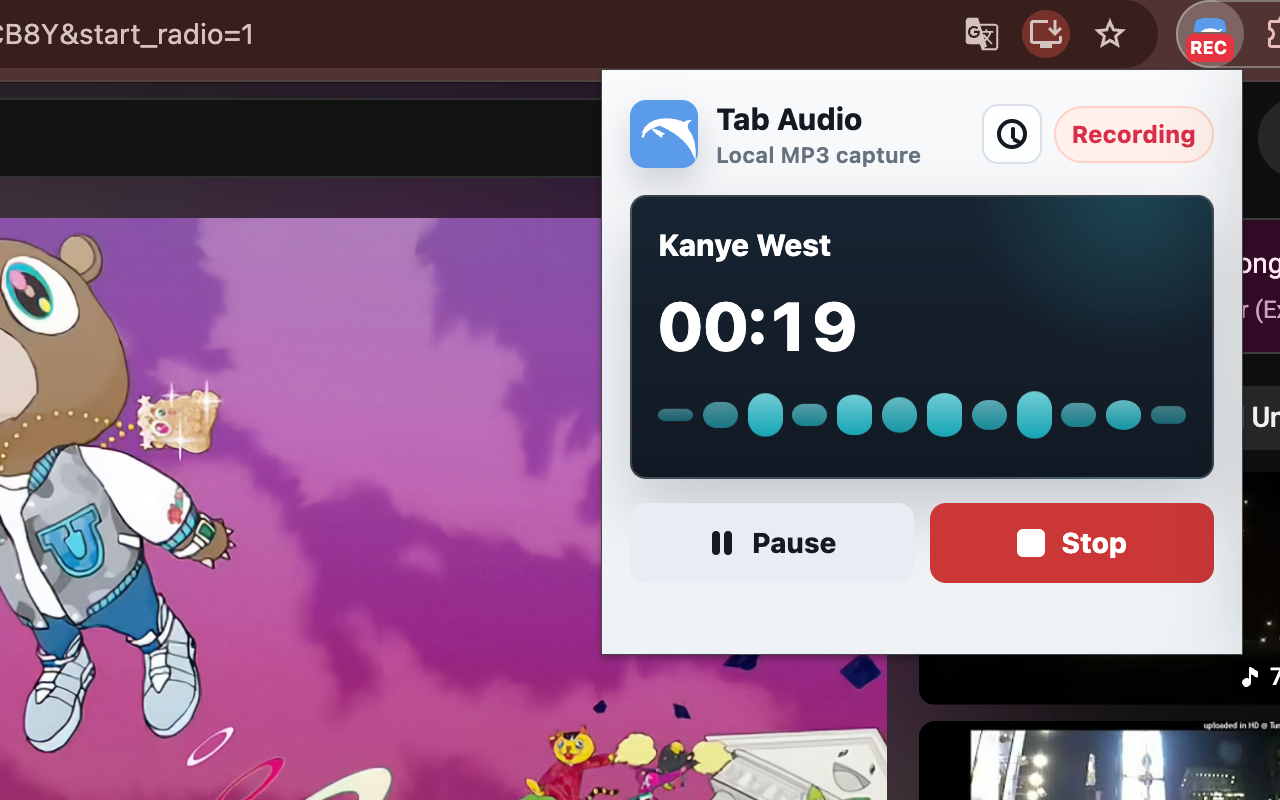
Dolphin captures one active Chrome tab after you start recording, encodes the audio locally, and downloads the MP3 to your device.
Local recording. No uploads.
Quick answer
The extension receives audio from the active tab only after you start a recording. It encodes that audio inside Chrome and sends the finished MP3 to Chrome's download manager.
Dolphin does not upload the recording, page title, source URL, filename, or local history to a remote server. The current extension does not include analytics, advertising trackers, or behavioral tracking.
Active-tab audio, trimming, preview, MP3 encoding, and recording history stay in the browser on your device.
Dolphin does not collect microphone audio, screen video, unrelated tab content, or a background history of the sites you visit.
Capture boundary
Dolphin uses Chrome tab capture for the tab that is active when recording starts. It does not request microphone permission, create screen video, mix several tabs, or capture system-wide audio from other applications.
Page metadata is read only after a user action. It is used to suggest a useful filename and create a local history entry for the recording you chose to save.
Local storage
The finished MP3 is downloaded to the location managed by Chrome. Dolphin's history does not keep a second audio copy after saving; it keeps lightweight metadata so you can recognize the source later.
A history entry can include the page title, source URL, website host, category, recording duration, trim range, save time, and filename. Dolphin keeps up to 50 local history entries.
Open Recording history in the extension and choose Clear history to remove those entries from Dolphin's local browser storage. Clearing history does not delete MP3 files that Chrome already downloaded.
Permissions
Captures audio from the active Chrome tab after you start recording.
Reads the active page title and URL after user action for filename suggestions and local history.
Keeps recording and MP3 encoding running while the popup is closed.
Saves the generated MP3 through Chrome downloads.
Accounts and tracking
Dolphin does not require an account. The extension does not sell, transfer, share, or upload recording data or local history.
The current extension does not use analytics SDKs, advertising pixels, or behavioral tracking. Its permissions are used for the recording workflow described on this page, not to monitor browsing in the background.
Websites and restrictions
The page you record may use its own cookies, analytics, accounts, or media protections. Those systems belong to the website and are separate from Dolphin.
Some protected or DRM-based media may not be available to Chrome tab capture. Dolphin does not bypass access controls. Record only audio you are allowed to capture and keep.
Related guidance
See the exact active-tab workflow, capture boundaries, and pre-recording checks.
Diagnose a silent recording, interrupted capture, or missing MP3 without changing unnecessary permissions.
Contact
For a privacy or support question, include the Chrome version, Dolphin version, page type, and the step where the problem occurred. Do not send private recording files unless you have intentionally chosen to share them.
Open Dolphin supportReady to record Chrome tab audio?
FAQ
No. Dolphin records and encodes active-tab audio locally in Chrome, then saves the MP3 through Chrome's download manager.
No. Dolphin does not request microphone permission and does not create a screen or video recording. It captures audio from one active Chrome tab after you start recording.
Local history can contain the page title, source URL, website host, category, duration, trim range, save time, and filename. History entries do not contain audio files.
Open Recording history in the extension and choose Clear history. This removes Dolphin's local metadata entries but does not delete MP3 files already downloaded through Chrome.
After you start a recording, Dolphin reads lightweight metadata from the active page to suggest a filename and create a recognizable local history entry.
No. The current extension does not include analytics, advertising trackers, or behavioral tracking.
No. You can record permitted tab audio and save MP3 files without creating a Dolphin account.
Some protected media may not be available to Chrome tab capture. Dolphin does not bypass access controls, and you should record only audio you have permission to keep.